Quick conclusion
Hitting publish is not the finish line. Closing the loop is.
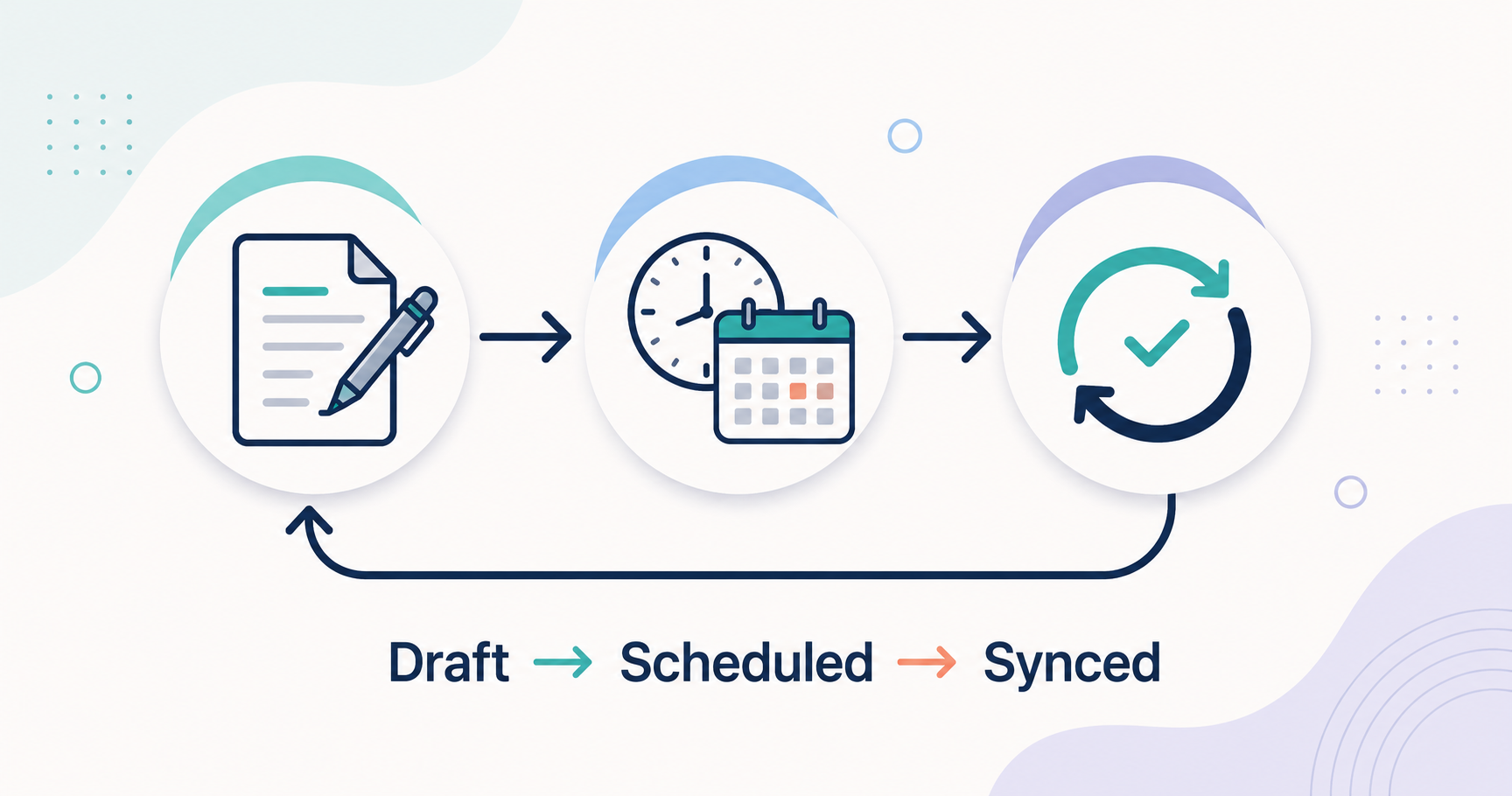
My flow has three stages: Draft, Scheduled, and Synced. The first two are ordinary. The third one, Synced, is the part most solo bloggers skip. It is also the part that quietly turns a one-time mistake into a permanent check. Here is how I run it, and where it broke along the way.
The three stages: Draft, Scheduled, Synced
Draft means getting the post into a publishable shape. Scheduled means picking a time and letting go. Synced means confirming, after it goes live, that reality matches the plan, and feeding what I learn back into the next post.
Most of my attention now goes to that third stage. The first two get a post online. The third one is what keeps the whole operation from slowly falling apart.
Draft: get it to a publishable shape
AI helps me write, I shape the voice, and then I export the post into the format WordPress wants. I won’t cover the writing itself here. The one rule at this stage: stop polishing once it is good enough to ship. A perfect draft that never goes live helps no one.
Scheduled: decide once, then let go
I rarely publish live. I set a future date and time, and I walk away. Two practical notes from doing this a lot:
- Assign the category and tags by their ID, not by typing the name.
- The decision to publish is human. The act of publishing is automated.
This lets me batch posts and move publish dates around without redoing anything. If I want to push a post a day later, I change one date and that is it.
Synced: the part most people skip
Once a post is live, I run a short pass I call syncing. It is the check-and-act half of a plan-do-check-act (PDCA) cycle, the part publishing tutorials rarely mention. I check four things:
- Reality vs plan. Open the live post and confirm the title, category, tags, and featured image are what I intended.
- Response. Record the first numbers from social. High or low, they are a signal for how I share the next one.
- Internal links. A post only gets its real URL once it is live, so this is when I close the link both ways between the pillar post and the new one.
- Records. Log that it shipped, and update my tracker and my list of published posts, so nothing falls through.
It takes a few minutes. The payoff is that publishing stops being a dead end and starts feeding the next post.
Where it breaks (and the check it left behind)
Two failures taught me this stage. Both were quiet. Both are now permanent checks.
The category that silently does not stick. Early on, I scheduled a post and set its category by name. My publishing flow matched that name against the categories on the site, and a tiny mismatch made it skip the category with no error at all. The post went live with no category. The fix was to assign the category by its ID instead of its name. The lesson: a failure with no error message is the dangerous kind. “Confirm the live category” has been in my Synced pass ever since.
The scheduled post I almost forgot. A scheduled post publishes itself on time. The work after it, the records, the links, the response check, does not trigger on its own. Nothing failed loudly, so a published post once sat unprocessed for days. Now I work backward from what is actually live and compare it against what I have logged, to catch anything that went out but never got synced. The lesson: auto-publish is not the same as done.
Both were hard to spot the first time. But once a mistake has bitten you, the check starts running automatically, even before you open the screen.
What the loop actually changed
- The automation got better because the loop watched it. My publishing automation did not work at first. It broke a few times. Each time I synced, I traced one cause and fixed it. Now it runs reliably. The loop improved the loop.
- Reciprocal links became routine. Linking a pillar and its follow-up posts both ways used to be fiddly and easy to forget. Now closing those links is a fixed step, so my pillar-and-spoke structure actually holds together.
- Nothing gets lost. Because I review every publish, tasks and posts stay on the record instead of slipping away.
A small checklist you can steal
You do not need my scripts for this. The loop fits on one note:
- Open the live post. Does it match what you planned?
- Write down the first response numbers.
- Close internal links both ways.
- Log that it shipped.
- When something breaks, turn the fix into a step on this list.
That last line is the whole idea. Every check on the list above started as a mistake I did not want to make twice.
FAQ
Isn’t scheduling enough? Why check after it is live?
Because the worst failures are silent. A skipped category or an unprocessed post will not email you. Checking is how you catch what does not shout.
Do I need custom tools to do this?
No. I use scripts because I publish often, but the loop works with a plain checklist and five minutes. Start manual, and automate only the parts that get tedious.
How long does syncing take per post?
A few minutes. That is far less than the cost of finding a month-old mistake.
What if I publish manually instead of scheduling?
The loop is the same. Synced does not care how the post went live. It only cares that you close it out.
Next steps
This is the publishing piece of how I run multiple blogs solo. If you want the writing side, how I keep my AI tools producing in one voice, that is the reusable skills layer. Next, I want to test how much of this Synced pass I can hand off without losing the human glance that catches the silent failures.